
ANDROID · DEVELOPMENT PREVIEW
One game.
Across your devices.
The Android camera and scoring app is being built to match Score Monkey on iPhone. It is being tested on Samsung Galaxy A26 5G. It is not yet available on Google Play.
See what is being tested ↓THE CAMERA CONTROLS YOU KNOW
Frame it. Stream it. Keep score.
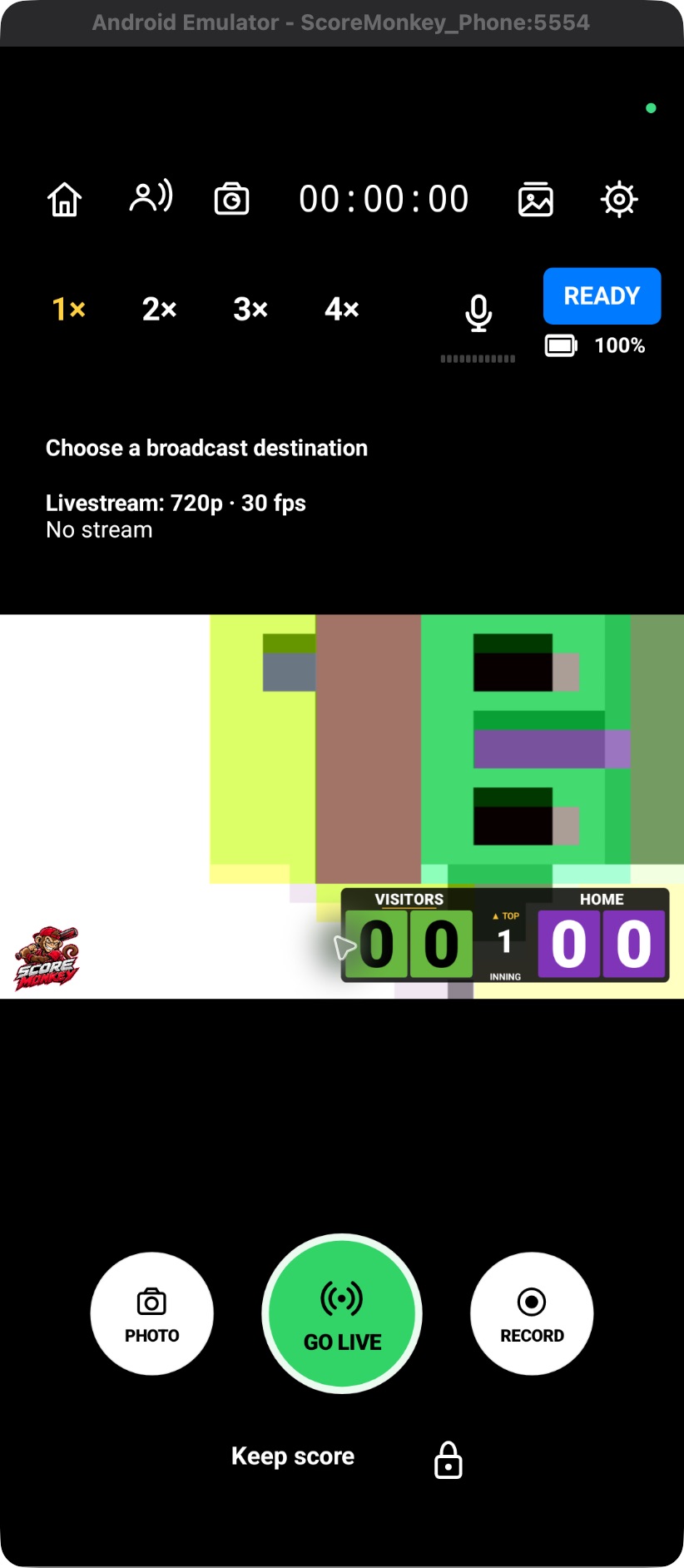
The Android camera now brings together zoom, microphone, photo, local recording, broadcast setup and camera settings. Main and Simple scoring use the iPhone layouts as their reference.
Android distribution is planned through SWYCH, LLC. WebMax, LLC continues to operate the website and Apple edition. The current Apple submission is unchanged.
Tested across phones
- Samsung camera → iPhone scorer using a Same Wi-Fi QR or number code.
- iPhone camera → Samsung scorer using Internet pairing: scores, innings, Undo and reconnect.
- Samsung camera → YouTube using a manual secure server/key: picture, sound, remote score changes and ending.
These are development tests, not a full-game reliability guarantee. Network, heat, battery and device coverage still need broader testing.
In the current camera test build
A fixed 16:9 picture with iPhone-style camera controls, grouped Broadcast setup and Camera settings. Use front/back camera control where available, hardware-limited zoom and saved shortcuts, microphone mute, photos, standard recording and media export. Save a local copy while streaming, or record separately. Edit teams, colors and logos, choose ten scoreboard styles, and drag the scoreboard to move or resize it. Quality options are 480p/720p/1080p at 30 fps. The free logo stays visible.
Still being prepared
Android YouTube sign-in and game management, Android camera internet hosting, YouTube viewers/chat, cloud team/profile libraries and backup, Play purchases/restore, and the remaining iPhone camera refinements. Apple Watch is part of the Apple app; an Android watch app is not included.
Streaming setup in the preview
- Create a private test in YouTube Studio, or an eligible Facebook destination in Live Producer.
- Enter the official secure server address and private stream key directly in the Android app.
- Save & return to camera prepares the next start, or use Start video to send all selected feeds. Confirm picture, audio, visibility and actual Go Live in the platform controls.
- Stop the app feeds and end the broadcast in the platform controls. Export any local recording separately.
Direct streaming uses no media relay service fee. Normal internet/mobile data costs still apply; two outputs need roughly twice the upload capacity. Actual Facebook and combined Android field testing remains pending.
Before Google Play
We are finishing feature parity, physical-device and full-game tests, release signing, Google integration, privacy disclosures and the store listing. No public Android release date is promised yet.
Read Android testing instructions · Download updated illustrated guides · Contact support